Shape and proportions
What to verify
Compare the outline, angle, size relationships, hardware, and attachments with the real product.
Reject or regenerate when
Reject when the silhouette, count, angle, or physical construction changes.
ProductMagicAI is designed to turn a clear product photo into polished ecommerce imagery while Identity-Lock AI helps keep the product's shape, colors, branding, labels, packaging, and key details recognizable. The workflow improves the scene and presentation, but every logo, label, line of text, and packaging detail still needs a final review.
Direct answer
To keep logos and labels recognizable in AI product photos, use a sharp reference image, keep branding unobstructed, use Identity-Lock AI, and compare each result with the original before publishing. Product fidelity is a review workflow, not a guarantee.

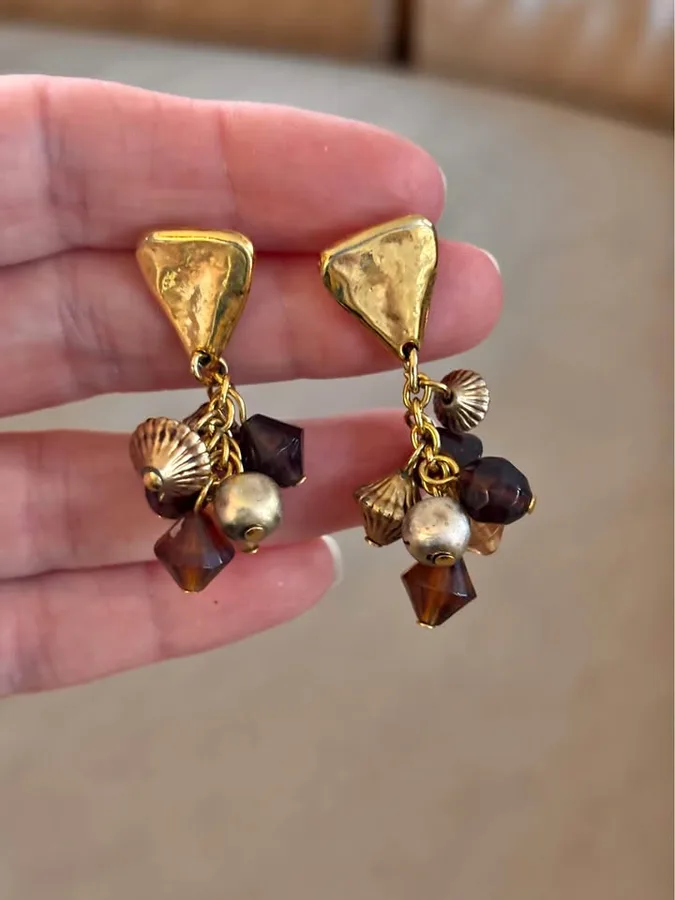
This example demonstrates shape and color fidelity. Logos, labels, and small text require a separate close review.
A beautiful AI scene is not useful if the generated product no longer looks like the item a customer will receive. Ecommerce sellers need the product itself to remain recognizable while backgrounds, lighting, surfaces, and visual context improve.
Help keep the product silhouette, proportions, and core colors anchored to the uploaded reference.
Help preserve recognizable branding and packaging details instead of treating them as disposable scene elements.
Use AI where it adds value: improving the setting, lighting, surface, mood, and merchandising context.
Treat the original product photo as the source of truth. Review these details before an AI-generated image reaches a store, marketplace listing, advertisement, or social post.
What to verify
Compare the outline, angle, size relationships, hardware, and attachments with the real product.
Reject or regenerate when
Reject when the silhouette, count, angle, or physical construction changes.
What to verify
Check brand colors, finishes, transparency, texture, metal tone, and reflections.
Reject or regenerate when
Reject when a buyer could receive a visibly different color or material.
What to verify
Zoom in and compare every logo shape, label position, symbol, and brand mark.
Reject or regenerate when
Reject when a logo is missing, duplicated, distorted, moved, or rewritten.
What to verify
Verify ingredients, model numbers, dimensions, warnings, quantities, and regulated claims character by character.
Reject or regenerate when
Reject any image with invented, unreadable, or altered product-critical text.
What to verify
Confirm caps, seals, closures, included pieces, straps, inserts, and package structure.
Reject or regenerate when
Reject when the image adds, removes, or changes something the customer will receive.

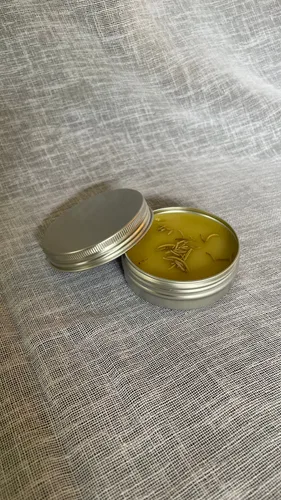
Identity-Lock AI helps keep the reference product recognizable during generation. That is especially useful when a product has distinctive colors, packaging, labels, or branding that should not be casually reinvented by the model.
Generative AI can still make mistakes in very small text, fine print, reflections, or tiny details. ProductMagicAI does not promise pixel-perfect reproduction of every character. Compare each result with the original product, especially when exact text, regulated claims, dimensions, or packaging details matter.
If a logo, label, model number, claim, quantity, or included accessory changes, reject or regenerate the image instead of publishing it.
Use a sharp photo where the product edges, logo, label, colors, and packaging are easy to see.
Create a white-background, studio, or lifestyle image while keeping the original product as the visual reference.
Check branding, text, colors, packaging, dimensions, and other product-critical details against the original photo.
ProductMagicAI uses Identity-Lock AI to help preserve recognizable product details such as shape, colors, logos, labels, and packaging while improving the background, lighting, and presentation. Always compare generated images with the original before publishing product-critical details.
No generative image system should be treated as a guarantee for exact small text. Identity-Lock AI is designed to improve product fidelity, but sellers should review fine print, regulated claims, measurements, and tiny details before publishing.
It is designed to help keep the product's overall shape, colors, branding, labels, packaging, and other recognizable details consistent with the uploaded reference photo.
Yes. ProductMagicAI creates ecommerce product images for stores, marketplace listings, advertising, and social content. Review each image against the destination platform's current rules before publishing.
No. A clear phone photo can be enough. A sharp source image with visible edges, colors, logos, labels, and packaging gives the AI a stronger reference for preserving product identity.
Do not publish that image. Regenerate with a sharper or closer reference photo, keep the important detail unobstructed, and compare the next result with the original. Use the original product photo when an exact detail cannot be reproduced reliably.
Start with a clear product photo and create polished ecommerce imagery with Identity-Lock AI helping preserve the details customers recognize.
Try ProductMagicAI Free